
A complete field workflow
Capture once. Turn the result into a usable business record
IMPI Forms connects the field task, the evidence and the finished report—without asking your office team to retype handwritten information.

1 · Guided capture
The right questions, in the right order
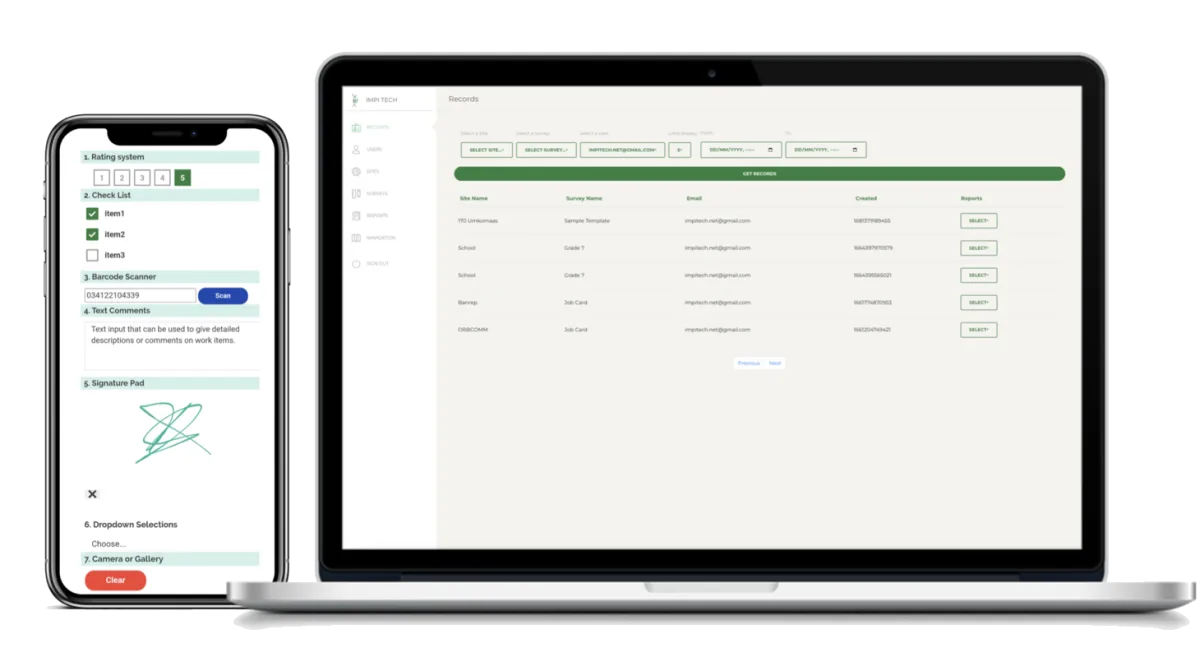
The mobile form can show the fields relevant to the job and require essential information before the record is completed.
- Text, numbers, dates, times, ratings and selections
- Repeatable sections for items, assets or defects
- Conditional questions based on earlier answers
- Required evidence and validation
- Offline work with later synchronisation
2 · Evidence and approval
Proof attached to the work, not scattered across devices
Teams can attach photographs, scan barcodes, capture GPS, add comments and collect signatures as part of the same field record.
- Camera or gallery photographs
- Barcode and identifier capture
- Location and timestamps
- Technician, inspector or customer sign-off

3 · Reporting and distribution
Consistent outputs without manual re-entry
Completed records are available to authorised users and can generate business documents or datasets for the people who need them.
- Standardised report layouts
- Immediate or scheduled distribution
- Daily, weekly and monthly reporting options
- Searchable records for operational follow-up
Implementation
What happens after the first conversation?
Workflow review
You share the current form, report and process. We identify who captures the information, where mistakes happen and what the final record must achieve.
Configuration and testing
Impitech configures a working workflow and tests it with representative field scenarios before wider rollout.
Rollout and refinement
Users begin working with the configured process, while feedback and operational changes can be incorporated into later versions.
Show us the form you want to replace.
We will help identify the fields, evidence and reporting flow required for a useful first version.